Support resources are departments that support other resources in the company. For instance, corporate management is a support resource because it supports inside sales by allocating and providing employees.
You can view and manage support resources by selecting the "Resource Pool to Resource Pool Assignments" panel located on the Start screen.
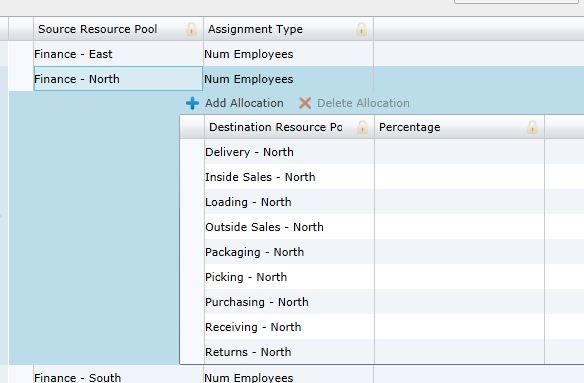
Under the "Source Resource Pool" column, select a support resource. The support resource's allocation and assignment type will open. For example, the screen shot below depicts the "Finance - North" support resource that supplies employees ("Num Employees") to the resources located under "Destination Resource Pool."
To manually add support resources:
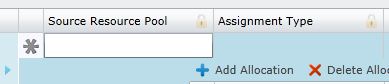
 . A blank row will open. Select the row under the "Source Resource Pool" column.
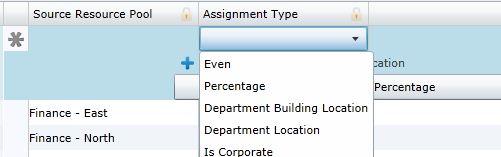
 .
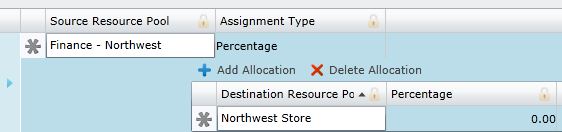
.
To upload support resources:
 . On the download template pop-up, select your download options. View the template to ensure that your files are assorted correctly for upload.
 . .
. . What if the records fail to upload?See Edit Failed Records.
Related Topics:
Introduction to Business Rules
General Ledger to Resource Pool Assignments